Skip to content
HVACloud

Appearance

Language

The application

The same interface, under your brand

On the panel on site, in the browser and in the app. Assembled rather than programmed, and fitted to what your devices can do. What you see here are captures from the running application, not mock ups.

The installed base on the map

Every plant with location, device and state. From here into the plant, without searching.
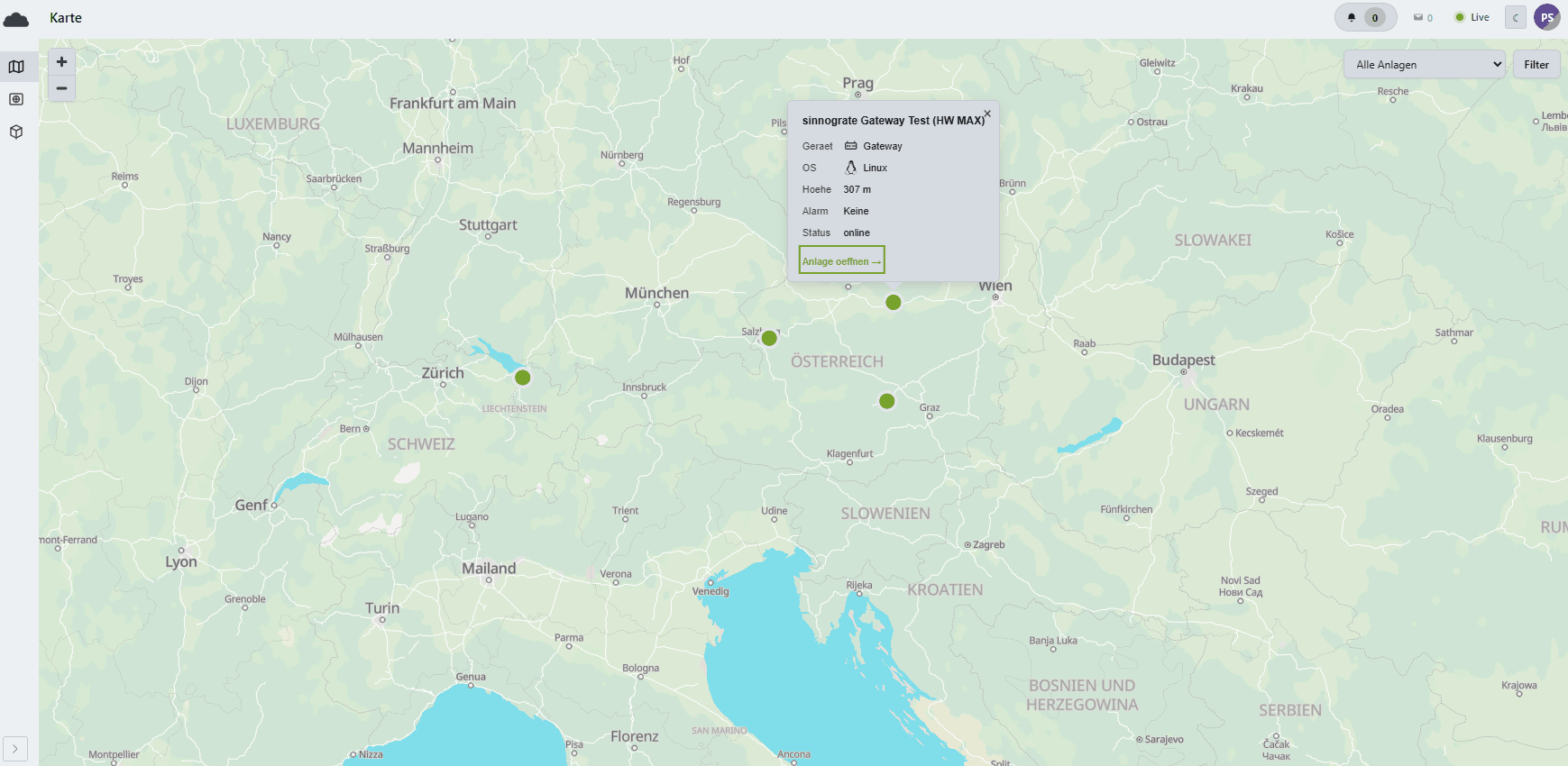
The map: plants as green dots across Austria, Switzerland and southern Germany, one opened with device, operating system, altitude, alarm state and a link into the plant.

The area it belongs to

Discovery and data points

Devices are found, data points mapped. No typing out of register lists.

The device view: the edge client on top with operating system, load and serial buses, below it the connected and the discovered devices with IP, protocol and state.

The area it belongs to

What the controller delivers

Every data point with type, unit and live value, ordered by the device schema. That is the basis for everything else.

The data point view: the controller tree with outside temperature, blocks, heating and cooling curves, each with type, unit and current value.

The area it belongs to

Templates instead of projects

One application per device type, with scope, protocol and embedded credentials. It shortens every further commissioning.

The schema templates: the list per protocol on the left, an opened template on the right with its scope in nodes and leaves, connection defaults and the snapshot as JSON.

The area it belongs to

Analysis over years

1,698 data points of one plant, freely combined, over an hour or over thirty days. With annotations and CSV export.

The analysis view: the filtered data point list on the left, a chart over thirty days with six series on the right, their settings below.

The area it belongs to

What goes into the field

Artefacts per type, with approval levels, mandatory signing and a watch period. Changes go to the devices over the air.

The rollout rules: per artefact type the number of approvals, whether tenants may upload themselves, whether signing is mandatory and how long the client is watched.

The area it belongs to

Four assistants, four dialogues

Each one first asks what matters to you, then proposes. Nothing is applied without somebody looking at it.
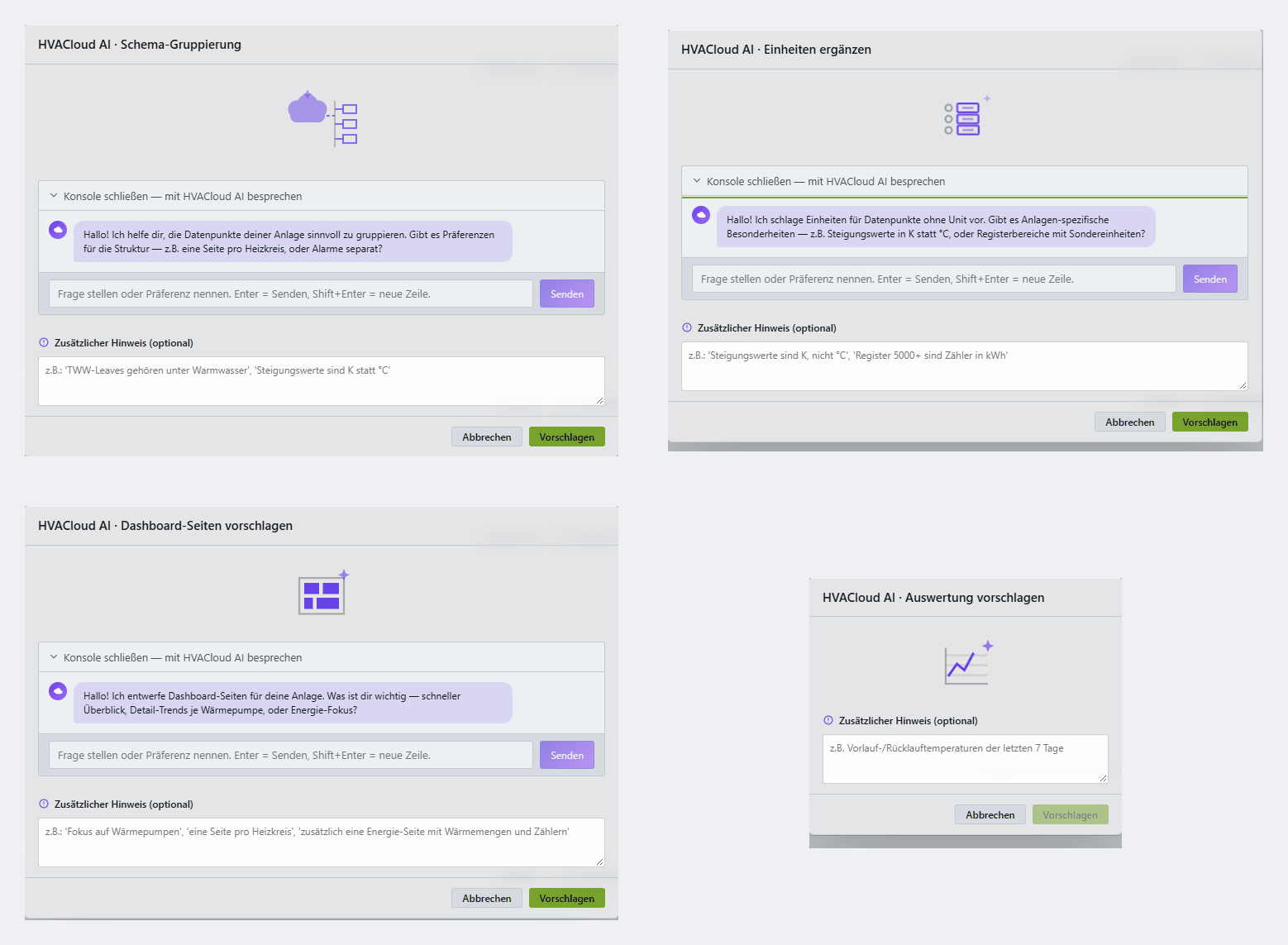
Four dialogues side by side: schema grouping, filling in units, proposing dashboard pages and proposing an analysis. Each with a question from the assistant, an input field and a propose button.

The area it belongs to

Only approved hardware

The catalogue of devices allowed to connect, with draft, review and release per product.

The device catalogue: the products with their release state on the left, the record of a touch panel on the right with key, description, device kind and manufacturer.

The area it belongs to

Roles and permissions

Groups, individual permissions and data scopes per tenant. A service partner gets exactly what they need.

Roles and permissions: the groups with their counts of permissions and members on the left, one group on the right with individually set permissions and the data scopes they apply to.

The area it belongs to

We would rather show you

In half an hour you see a real plant in the platform, not a slide deck.

Request a demo